In a recent episode of Google’s Search Off the Record podcast, Martin Splitt issued a caution many developers and SEOs can’t afford to ignore.
Lazy loading of all images by default especially hero images can delay Largest Contentful Paint (LCP) and degrade user experience.
Splitt explained how even Google’s own site, developers.google.com, fell into this trap because its CMS automatically applied lazy loading to every image. His warning was clear:
“If you are using lazy loading on an image that is immediately visible, that is most likely going to have an impact on your largest contentful paint. It’s like almost guaranteed.”
How many websites right now are unknowingly hurting their LCP scores by telling browsers to wait on the very content users expect to see first?
Let’s see what Splitt really meant and why it matters.
Why LCP Is Such a Big Deal
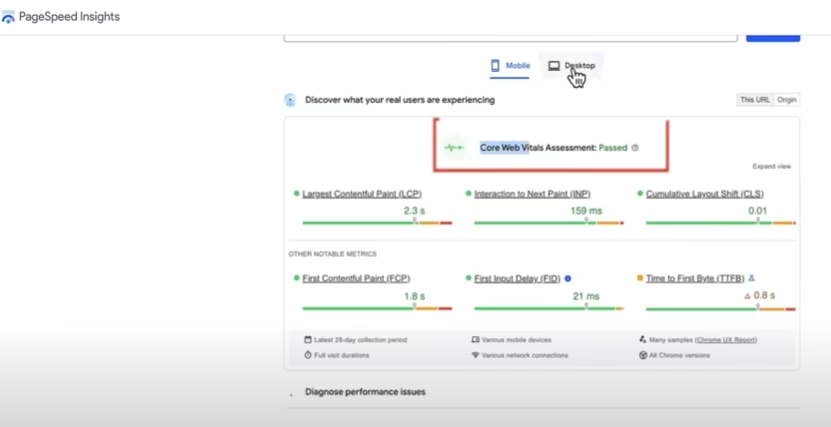
Before we explore more about this, a quick refresher: Largest Contentful Paint measures the time it takes for the biggest element—usually a hero image or large text block in the initial viewport to render.

- A “good” LCP is 2.5 seconds or less.
- Anything slower can frustrate users and hurt your Core Web Vitals score.
- And since Core Web Vitals are part of Google’s ranking signals, poor LCP could mean slipping behind competitors.
So, when lazy loading delays that hero image, the biggest piece of your content shows up late. And on slower networks, the delay feels even more jarring.
Which brings me back to the question: is your “optimization” strategy actually slowing your site down?
How Lazy Loading Can Delay LCP
Here is what usually happens behind the scenes:
- Without lazy loading: The browser’s preload scanner detects the hero image early, requests it right away and renders it quickly.
- With lazy loading on the hero image: The browser deprioritizes it. Scripts, styles and other assets take over first. The hero image request comes later—competing for bandwidth when the pipeline is already full.
Result? The most visible part of your page gets delayed and LCP increases.
Splitt’s own site became a case study of this problem. And if Google can make that mistake, how many other CMS-powered sites are doing the same?
The Extra Risk of Layout Shifts
There is another layer of trouble. If you forget to set width and height for your lazy-loaded hero, the late arrival of the image can cause the layout to shift.
Users see text jump around as the hero loads, which is a visual stutter that feels unpolished. Google calls this Cumulative Layout Shift (CLS) and yes, it is another Core Web Vital that affects rankings.
So now you are not just delaying your LCP and you are even potentially hurting CLS too.
Do you see how a “default lazy load everything” approach can create a domino effect of performance issues?
The SEO Danger of Old Lazy-Loading Libraries
Lazy loading is not new and before browsers introduced native support, developers relied on JavaScript libraries. Some of these older scripts still linger and they create a unique SEO hazard.
Splitt pointed out:
“We have seen multiple lazy loading libraries … that use some sort of data-source attribute rather than the source attribute… If it is not in the source attribute, we won’t pick it up if it’s in some custom attribute.”
Translation? If your lazy-loading script hides image URLs in data-src or similar nonstandard attributes, Googlebot may never see them. That means your images might never get indexed.
Imagine you are running an e-commerce site where product images don’t appear in Google Images just because of a lazy-loading quirk. Would you even know it was happening?
How to Check If Your Sites is Affected
Splitt’s advice: don’t rely on screenshots or assumptions. Use Search Console’s URL Inspection Tool to check the rendered HTML.
Here’s what you should confirm:
- Hero and above-the-fold images are not lazy loaded.
- All images appear with proper src or srcset attributes in the rendered HTML.
- Width and height are explicitly defined.
As Splitt put it:
“If the rendered HTML looks like it contains all the image URLs in the source attribute of an image tag … then you will be fine.”
The key is not just to trust how your page looks in the browser but to verify how Googlebot sees it.
Ranking Impact: Should You Panic?
Now, before we all rush to strip lazy loading from every site, Splitt offered perspective: the ranking impact is modest.
Core Web Vitals are part of Google’s algorithm, yes, but he described them as a “tiny minute factor.”
Still, think about it this way: in competitive niches, small differences decide who outranks whom. If your competitor’s LCP is consistently faster, who do you think users and Google will favor?
Sometimes the margin of victory is measured in milliseconds.
Best Practices: What You Should Do
So, what is the takeaway for site owners and developers? Google’s guidance boils down to a few practical rules:
- Don’t lazy load above-the-fold images. Keep hero images eager, always.
- Use native lazy loading (loading=”lazy”) for below-the-fold content and iframes.
- Check your libraries. If you must use scripts, ensure final markup exposes URLs in src or srcset.
- Define dimensions. Always set width and height for images to prevent layout shifts.
- Verify in rendered HTML. Don’t guess—use Search Console to confirm.
- Track your Core Web Vitals. Watch LCP trends over time to see if changes help or hurt.
Real-World Context of WordPress as a Case Study
WordPress played a big role in spreading lazy loading by enabling it by default in 2020. For most cases, this was a net positive—it cut down unnecessary requests and sped up mobile browsing.
If your WordPress theme or plugin applies lazy loading blindly to every image, including the hero, you have fallen into exactly the trap Splitt warned about.
It is a reminder that best practices aren’t universal. Context matters.
Treat Lazy Loading as Opt-In
Splitt closed with a balanced perspective: lazy loading is not bad bad powerful when applied selectively. But it should be treated as an opt-in optimization, not a blanket rule.
Hero images, banners or above-the-fold content? Keep them eager.
Secondary galleries, below-the-fold visuals, videos? That is where lazy loading shines.
Because at the end of the day, the real goal is not just passing a Core Web Vitals report—it is making the site feel fast and smooth to users.
Let’s See If We’re Doing It Right
Listening to this podcast made us think about an important question: are we doing lazy loading responsibly? Or are we defaulting to convenience at the cost of user experience?
Lazy loading is like any tool—it can speed you up or slow you down depending on how you use it. And when it comes to something as critical as LCP, even small missteps can ripple into rankings and user trust.

Dileep Thekkethil
AuthorDileep Thekkethil is the Director of Marketing at Stan Ventures, where he applies over 15 years of SEO and digital marketing expertise to drive growth and authority. A former journalist with six years of experience, he combines strategic storytelling with technical know-how to help brands navigate the shift toward AI-driven search and generative engines. Dileep is a strong advocate for Google’s EEAT standards, regularly sharing real-world use cases and scenarios to demystify complex marketing trends. He is an avid gardener of tropical fruits, a motor enthusiast, and a dedicated caretaker of his pair of cockatiels.
