The ChatGPT is a cutting-edge tool designed to redefine how we approach searching for information online.
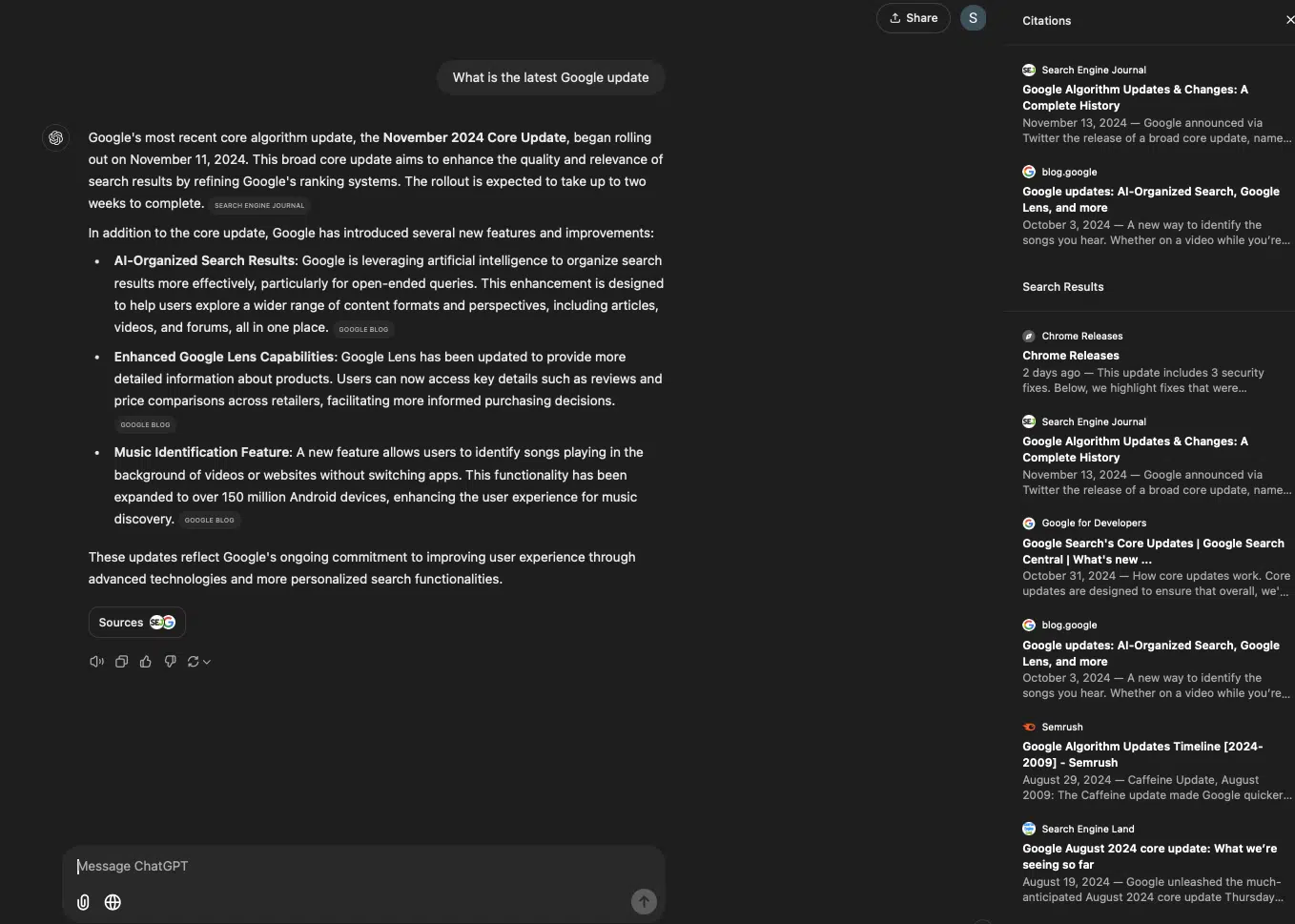
Powered by advanced conversational AI, it offers users direct, synthesized responses along with the traditional lists of links on the right panel.
Whether you’re a free user exploring its foundational features or a pro subscriber leveraging real-time web browsing, ChatGPT can revolutionize your productivity.
Here’s a detailed guide on how to effectively use the ChatGPT search engine.
1. Understanding the Basics of ChatGPT Search Engine
At its core, the ChatGPT search engine transforms the search experience by providing conversational responses tailored to your queries.
Unlike traditional search engines like Google or Bing, it focuses on answering your questions directly instead of requiring you to sift through links. However, with the launch of ChatGPT Search, the right panel shows the sources or the list of websites that GPT used to train the result it delivered.
Key Features of ChatGPT Search:
- Conversational Interaction: The search engine interprets queries in natural language, making it user-friendly.
- Contextual Memory: Within a single session, ChatGPT retains the context of previous questions, allowing follow-up queries without needing re-explanations.
- Adaptable Output: From simple definitions to detailed explanations, ChatGPT tailors its responses based on the specificity of your query.
2. Getting Started: Logging In and Accessing Features
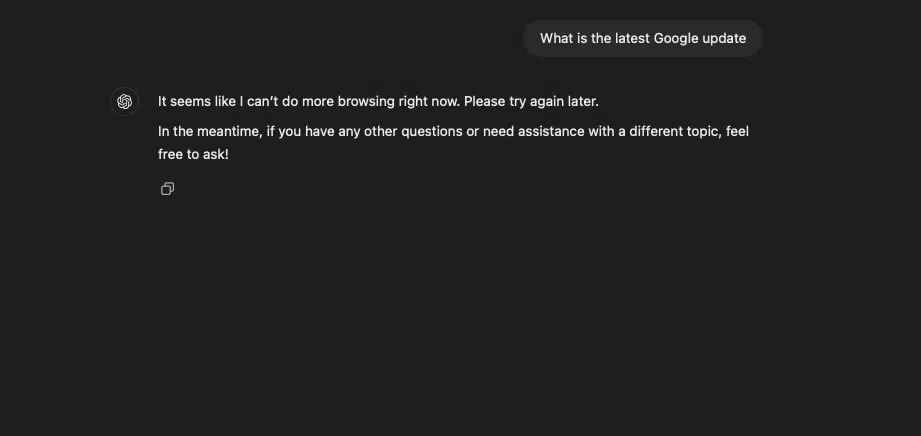
Logging into ChatGPT is the first step to unlocking its powerful search capabilities. Free users can explore its pre-trained knowledge base, while pro users gain access to real-time web browsing and advanced AI features. With just a few clicks, you can start transforming the way you search and interact with information.
Free Users: Gain access to pre-trained knowledge. This includes basic queries, contextual conversations, and educational resources.
Pro Users: Unlock the power of real-time web browsing, faster response times, and advanced AI models like GPT-4o.
Steps to Access ChatGPT Search:
Step 1: Visit the ChatGPT platform and log in with your credentials.
Step 2: Free users can start exploring immediately, while pro users can upgrade for advanced capabilities.
Step 3: Choose between the ChatGPT models ( available for pro users only).
Step 4: Enter your question or topic of interest in conversational language for optimal results.
3. Framing Your Queries for Precise Responses
The way you phrase your questions significantly impacts the quality of the response. ChatGPT excels at interpreting natural language, but clarity and specificity can enhance its output.
Tips for Framing Queries:
Be Specific
Vague questions lead to broad answers. For example, instead of “Tell me about marketing,” ask, “What are the top digital marketing strategies for 2026?”
Use Context
Include necessary details to guide the tool. For instance, “Explain blockchain technology for beginners” yields a more tailored response than just “What is blockchain?”
Ask for Examples:
If you need practical insights, request examples. Example: “Give me three creative content marketing ideas for a tech startup.”
4. Exploring Contextual Conversations
One of ChatGPT’s standout features is its ability to retain context within a single session. This enables dynamic, multi-step interactions where you can refine or expand your queries.
Example of Contextual Interaction:
- Initial Query: “What is the role of AI in SEO?”
- Follow-Up Query: “How can small businesses leverage AI for SEO?”
- Deep Dive: “List tools that integrate AI into SEO strategies.”
By remembering previous inputs, ChatGPT builds on your queries to deliver a cohesive conversation.
5. Leveraging Advanced Features for Pro Users
Pro users gain access to capabilities that elevate the search experience, including real-time data retrieval and faster processing.
Real-Time Web Browsing:
This feature allows pro users to access the latest information directly from the web. For example, you can query, “What are the current economic trends affecting the tech industry in 2026?” and receive up-to-date insights.
Faster and Smarter Responses:
Pro subscribers experience reduced latency during peak hours, ensuring seamless interaction regardless of server load. Additionally, GPT-4o enhances the ability to handle complex or multi-faceted queries.
6. Using ChatGPT for Complex Queries
ChatGPT thrives in scenarios that require nuanced, layered responses. Its ability to process complex questions and synthesize information makes it invaluable for professionals and researchers.
Example of a Complex Query:
- Query: “Compare the advantages and disadvantages of email marketing versus social media marketing.”
- ChatGPT Response: A synthesized analysis detailing the strengths, weaknesses, and best use cases for both strategies.
7. Requesting Customized Outputs
ChatGPT isn’t limited to providing factual answers—it can adapt its responses to meet your specific needs.
Tailoring Responses:
- Example: “Write a LinkedIn post about the benefits of AI in marketing for startups.”
ChatGPT generates content that matches the tone, format, and purpose of the request. Additionally, add your insights to the conversation. It can be your experience, your research data, or quotes from industry experts, all these enhance your content and make it unique and valuable.
Need help with SEO? You can also check out this professional SEO agency that leverages similar AI-driven approaches to help websites grow organically.
Use Cases:
- Drafting professional emails
- Crafting marketing strategies
- Generating creative ideas for projects
8. Maximizing Productivity with ChatGPT
Beyond answering queries, ChatGPT can enhance productivity by streamlining tasks like brainstorming, drafting, and research.
Brainstorming Ideas:
Example Query: “What are some innovative ad campaign ideas for a new e-commerce brand?”
Drafting Documents:
Example Query: “Draft a product description for an eco-friendly water bottle.”
9. Common Pitfalls and How to Avoid Them
While ChatGPT is powerful, understanding its limitations ensures a smoother experience.
Pitfall 1: Overloading the Query
- Avoid asking overly broad or vague questions. Instead, break them into smaller, focused queries.
- Example: Instead of “Tell me about global warming,” ask, “What are the main causes of global warming?”
Pitfall 2: Misinterpreting Contextual Boundaries
- ChatGPT retains context within sessions, but starting a new session resets its memory. Ensure you include all necessary details when switching topics.
Who Should Use ChatGPT Search Engine?
1. Students and Researchers
ChatGPT’s conversational format simplifies complex subjects, making it perfect for students and researchers. Instead of jumping between tabs for scattered information, they receive synthesized, easy-to-understand explanations in one place.
Example Use Case:
A student exploring quantum mechanics can ask, “Explain quantum mechanics in simple terms,” and follow up with, “How is it applied in real life?” to get cohesive answers without rephrasing their query.
2. Professionals and Marketers
For professionals, especially in marketing and SEO, ChatGPT becomes a productivity booster. Its pro version allows real-time competitive analysis, insights into industry trends, and even creative brainstorming for campaigns.
Example Use Case:
A marketer can ask, “What are the latest SEO strategies for 2026?” followed by “List tools to implement these strategies efficiently.”
3. Small Business Owners
Business owners who wear multiple hats can rely on ChatGPT for quick answers, drafting professional emails, or even creating product descriptions. Its contextual understanding ensures that their follow-up queries build on previous ones.
Example Use Case:
“Draft an email for my bakery’s anniversary sale” followed by “Include a 15% discount offer in the message.”
4. General Users
From planning vacations to solving everyday dilemmas, ChatGPT caters to casual users seeking direct answers. Its conversational nature makes it accessible to non-technical audiences.
Example Use Case:
“What are the best hiking trails in the US?” followed by “Which trails are suitable for beginners?”
When Should You Use ChatGPT Search?
1. When You Need Quick Summaries
ChatGPT is ideal for obtaining concise information. Instead of wading through multiple articles, it provides actionable insights directly.
Example Scenario:
Looking for a quick gluten-free recipe? ChatGPT delivers the steps and ingredients in seconds without requiring further clicks.
2. For Complex Queries
If your question involves multiple layers, ChatGPT excels at synthesizing information. Its contextual memory ensures that follow-up queries are seamlessly integrated.
Example Scenario:
Start with, “What is blockchain?” and follow with, “How does it impact supply chain management?”
3. For Creative Problem-Solving
ChatGPT isn’t just a tool for finding facts—it’s also great for brainstorming and generating ideas.
Example Scenario:
“Suggest innovative ad campaign ideas for an eco-friendly startup.”
4. During Research and Writing
From generating outlines to fact-checking, ChatGPT streamlines the writing process, saving users hours of effort.
Example Scenario:
“Outline an article on the benefits of remote work,” and follow up with, “Provide statistics on remote work productivity.”
How ChatGPT Search Gets Its Results
1. Conversational AI Meets Real-Time Data
ChatGPT combines pre-trained knowledge with real-time web browsing for pro users. It processes queries conversationally, interpreting the intent and context to deliver actionable responses.
2. Contextual Memory
Unlike traditional search engines, ChatGPT retains context within a session. This allows for meaningful follow-up queries that build on previous responses.
Example Interaction:
- Query 1: “What is climate change?”
- Query 2: “How can small businesses reduce their carbon footprint?”
3. Synthesizing Over Listing
ChatGPT doesn’t bombard users with links. Instead, it synthesizes information into concise, user-friendly answers, making it ideal for users seeking direct insights.
4. Emphasis on Precision
The engine prioritizes clarity and brevity, ensuring that responses are easy to understand without unnecessary fluff.
How ChatGPT Differs from Google
ChatGPT is reshaping search behavior by focusing on conversational, context-aware interactions. Here’s a comparison with Google to understand their differences:
1. Purpose
- ChatGPT: Designed for conversational answers and context-aware exploration.
- Google: Built for discovery and navigation, directing users to sources via links.
2. Response Format
- ChatGPT: Synthesizes information into cohesive answers without needing external clicks.
- Google: Provides ranked links and snippets, often requiring further navigation.
3. Context Understanding
- ChatGPT: Remembers session context, making follow-up queries seamless.
- Google: Treats each query independently, requiring users to rephrase or refine.
4. Interactivity
- ChatGPT: Highly interactive, enabling dynamic conversations.
- Google: Lacks conversational features, focusing instead on static results.
5. Real-Time Data Access
- ChatGPT Pro: Can fetch up-to-date information through real-time browsing.
- Google: Has a vast, constantly updated index of the internet.
6. Advertising
- ChatGPT: Free from ads, providing an uninterrupted user experience.
- Google: Displays ads prominently, particularly for commercial queries.
Future of ChatGPT Search Engine
According to Rand Fishkin, ChatGPT’s search engine market share has grown to 4.33%—a remarkable feat in a market where Google dominates with an 85% share. There are projections that say, at its current growth rate, ChatGPT could match Google’s market share within four years.
What This Means:
This growth reflects a shift in user behavior, with more individuals and businesses turning to conversational AI for quick, precise answers.
SEMrush: Performance Insights
SEMrush provided comparative data on ChatGPT, Perplexity, and traditional search engines:
- Overlap with Google’s Top 10 Organic Rankings:
- ChatGPT (4o with RAG): 48%
- Perplexity: 72%
- Bing: 69%
Key Takeaway:
While ChatGPT doesn’t replicate Google’s top results consistently, its growing overlap with search engine rankings highlights its potential as a credible competitor.
The Future of Search: ChatGPT vs. Google
ChatGPT is carving out its niche in the search market, offering a fresh alternative to Google’s traditional model. By prioritizing conversational interactions, contextual understanding, and ad-free responses, it addresses many frustrations users face with standard search engines.
However, ChatGPT isn’t meant to replace Google entirely. Instead, it complements traditional search engines by excelling in areas like learning, brainstorming, and navigating complex queries.
ChatGPT’s search engine represents a fundamental shift in how we access information. Its ability to synthesize answers, remember context, and provide ad-free interactions makes it a powerful tool for students, professionals, and everyday users alike.
As its market share grows and its features continue to evolve, ChatGPT is poised to become a key player in the search landscape. Whether you’re exploring its free features or unlocking pro capabilities, now is the time to embrace the future of search.

Dileep Thekkethil
AuthorDileep Thekkethil is the Director of Marketing at Stan Ventures, where he applies over 15 years of SEO and digital marketing expertise to drive growth and authority. A former journalist with six years of experience, he combines strategic storytelling with technical know-how to help brands navigate the shift toward AI-driven search and generative engines. Dileep is a strong advocate for Google’s EEAT standards, regularly sharing real-world use cases and scenarios to demystify complex marketing trends. He is an avid gardener of tropical fruits, a motor enthusiast, and a dedicated caretaker of his pair of cockatiels.

