Google has officially launched Lighthouse 13 and it is more than just another update, it is a structural evolution in how website audits are analyzed and presented.
The newest version consolidates old metrics, introduces insight-based diagnostics, and retires outdated checks, all while keeping your performance scores untouched.
Now, if you are wondering, does this mean I need to re-evaluate my audit process? The short answer is yes but not in the way you might think.
Let’s see what this update really means for developers, SEO specialists, and digital performance teams.
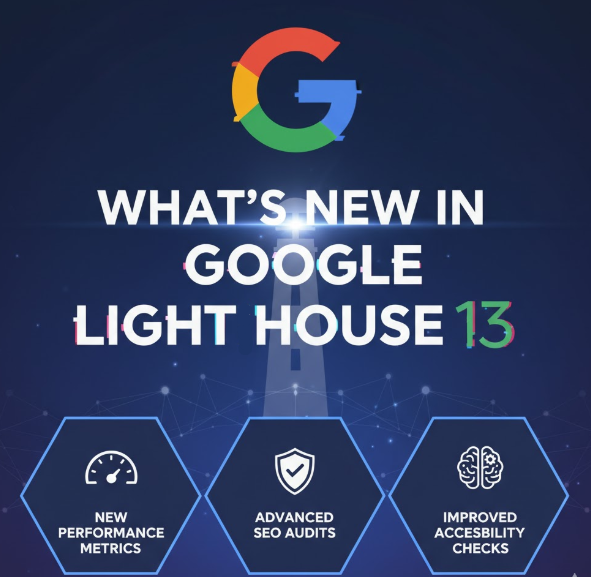
What’s New in Google Lighthouse 13?
Lighthouse 13, now available via npm and Chrome Canary, brings the audit experience in closer alignment with Chrome DevTools’ new insight model.
The update will reach PageSpeed Insights within the week and Chrome Stable (version 143) soon after.
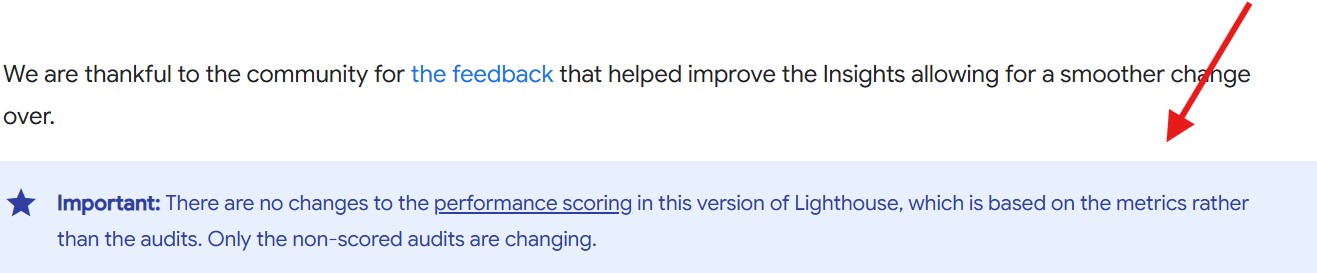
This release does not change how performance scores are calculated and that remains untouched. Instead, it focuses on non-scored audits, modernizing how developers interpret web diagnostics.
According to Google’s documentation, the new “insight-based” system aims to make audits more actionable by grouping related issues and removing noise from reports. In simple terms, fewer redundant checks with more meaningful insights.
Why Replace Audits with Insights?
Lighthouse audits have long been a mix of gold and clutter. Developers often had to sift through dozens of overlapping line items and some still valuable, others relics of older web standards.
With version 13, Google decided it is time to cut the clutter. Many legacy audits are being replaced by “insights,” a new diagnostic structure that gives context rather than just flags.
Instead of showing multiple audits for similar issues, Lighthouse now consolidates them into insight-driven categories. For example:
- Instead of separate reports on image formats, compression, and responsiveness, there is now one image-delivery-insight.
- Rather than listing various server and network checks, you’ll see document-latency-insight, which wraps server response, redirects and text compression into a single cohesive evaluation.
This shift is a philosophical one. Google is essentially teaching Lighthouse to think more like a performance analyst and less like a checklist generator.
Which Audits Have Been Consolidated or Renamed?
Let’s explore how this new model reorganizes some of the most used Lighthouse audits:
- Cumulative Layout Shift (CLS): The old layout-shifts audit is now cls-culprits-insight, providing a clearer understanding of what’s causing visual instability.
- Largest Contentful Paint (LCP): The single LCP audit is split into two lcp-discovery-insight and lcp-phases-insight to break down discovery timing and rendering performance.
- Server and Network Metrics: document-latency-insight combines multiple backend and compression checks.
- Images: The new image-delivery-insight merges audits related to modern formats, optimized sizes, and even animated image performance.
- Third-Party Scripts: third-parties-insight replaces the old third-party summary, providing a clearer picture of how external scripts impact your page.
These are not just renames, they represent a move toward smarter interpretation. Lighthouse now surfaces why something affects performance, not just that it does.
Which Audits Were Removed Entirely?
Of course, with new insights come a few farewells. Google has removed several older audits deemed either outdated, redundant, or too costly to run.
Among the notable removals are:
- first-meaningful-paint
- font-size
- offscreen-images
- preload-fonts
- uses-rel-preload
- no-document-write
- uses-passive-event-listeners
- third-party-facades
Why were these removed? In most cases, they either overlap with newer insights or no longer provide meaningful action points.
For instance, the font-size audit was dropped because Google no longer treats it as a ranking or accessibility signal and it is now viewed as a UX consideration, not an SEO factor.
Similarly, preload-fonts and uses-rel-preload were deprecated because modern browsers handle these optimizations more effectively without developer intervention.
What About Audits That Stayed Unchanged?
Interestingly, Google decided to retain a few audits that were initially expected to be removed, such as non-composited-animations and unsized-images.
These, Google says, remain critical in identifying subtle layout and animation performance issues that don’t directly affect CLS but can still degrade user experience.
“We kept certain diagnostics because they provide essential visibility into motion stability,” the update notes explain.
In other words, Google isn’t cutting corners—it’s trimming fat while keeping the muscle.
How Does Lighthouse 13 Affect SEO and Reporting?
For SEOs and web developers, this update means two things:
- Cleaner, more readable reports.
- Potential reporting disruptions if you rely on old audit IDs.
If you use automated dashboards, CI/CD pipelines, or analytics tools that pull data via Lighthouse audit IDs, you’ll need to map your old IDs to the new insight identifiers. Otherwise, your systems might break once PageSpeed Insights adopts Lighthouse 13.
Performance scores will stay the same and Google confirmed that these insights don’t impact the scoring logic.
But since many non-scored audits now live under new names, developers should expect structural differences in report outputs.
From an SEO standpoint, this update aligns Lighthouse more closely with Google’s Core Web Vitals philosophy: performance and usability first, metrics second.
Why Did Google Make This Change Now?
Google’s timing makes perfect sense. As the Chrome DevTools team has been refining its insight model to simplify debugging, Lighthouse, the standalone auditing engine needed to stay consistent.
Matt G. Southern, reporting for SEJ, noted that Lighthouse 13 now shares the same conceptual backbone as Chrome’s diagnostics.
This ensures that developers get consistent feedback whether they’re using DevTools, PageSpeed Insights, or Lighthouse CLI.
“Expect Lighthouse and DevTools to stay aligned on the same insight model,” Google confirmed.
This unified direction means that future updates to performance auditing across Google’s ecosystem will share a common data structure and visual format, which make insights easier to interpret and compare.
How Should Developers and Marketers Prepare?
If you are a developer or SEO professional using Lighthouse for audits, here is what you should do next:
- Update your tools: Install Lighthouse 13 from npm or Chrome Canary.
- Revisit your dashboards: Update any automation or integrations that depend on old audit identifiers.
- Educate your team: The new insights require a slightly different interpretation mindset, less about fixing line items, more about understanding themes.
- Prepare for PageSpeed Insights changes: Expect the update to roll out within a week, affecting client-facing performance reports.
But perhaps most importantly, remember this: your scores won’t drop just because you update. The performance scoring logic remains exactly the same.

Dileep Thekkethil
AuthorDileep Thekkethil is the Director of Marketing at Stan Ventures, where he applies over 15 years of SEO and digital marketing expertise to drive growth and authority. A former journalist with six years of experience, he combines strategic storytelling with technical know-how to help brands navigate the shift toward AI-driven search and generative engines. Dileep is a strong advocate for Google’s EEAT standards, regularly sharing real-world use cases and scenarios to demystify complex marketing trends. He is an avid gardener of tropical fruits, a motor enthusiast, and a dedicated caretaker of his pair of cockatiels.