Google has given NotebookLM its biggest upgrade yet, adding flashcards, quizzes, audio learning tools, and deeper classroom integration. The update aims to make studying more interactive and personalized for students and educators.
Students just got a powerful new ally in their study routine. Google announced a major update to its AI-powered tool, NotebookLM, on September 8, 2025.
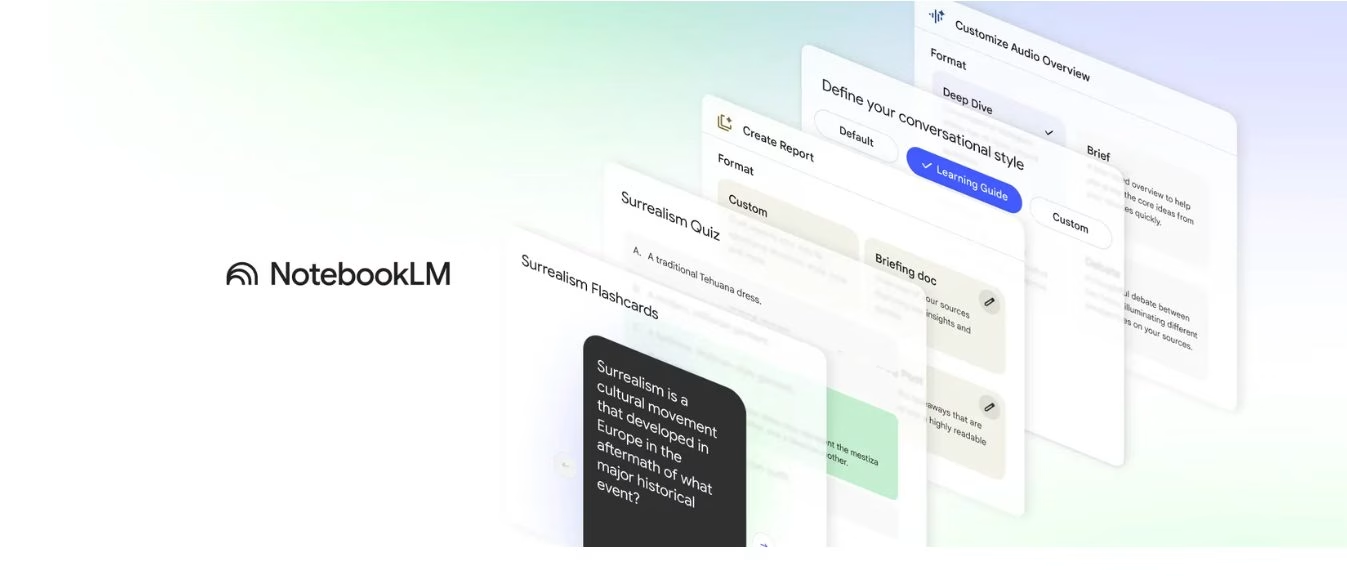
The changes bring instant flashcards, AI-generated quizzes, a guided learning feature that behaves like a patient tutor, and even audio summaries that can critique or debate your notes.
On top of that, Google is teaming up with OpenStax to offer ready-made notebooks from trusted textbooks, while teachers get easier ways to integrate everything into their classroom platforms.
A Clear Step Forward for Students and Teachers
If you’ve ever stared at a stack of notes and thought, “Where do I even start?” this update feels like Google is answering that question.
NotebookLM now generates flashcards and quizzes right from your documents. Each question links back to its source, so if you get one wrong, you can see exactly where the answer came from. That matters because it gives you a chance to check the context instead of blindly trusting the AI.
The new report formats also stand out. Instead of a single, stiff style, the tool now offers more options, such as blog-style summaries and structured explanations. Upload a research paper, and you might get a glossary suggestion. Drop in a chapter from a novel, and the system may offer a character analysis. It adapts, and that flexibility makes studying feel less rigid.
The Feature Everyone’s Talking About: Learning Guide
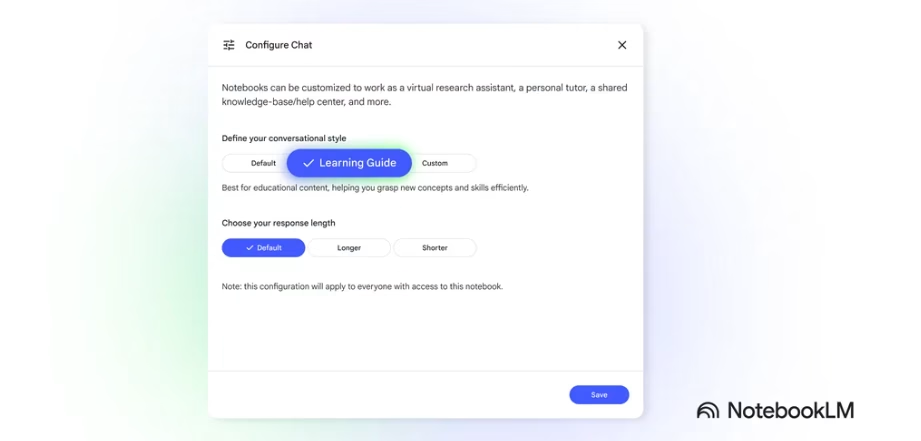
The Learning Guide behaves more like a thoughtful teacher than a chatbot. It doesn’t jump straight to the answer. Instead, it asks guiding questions, breaks problems into smaller steps, and explains why each step matters.
The approach keeps learners engaged rather than skimming for quick fixes. Soon, Google plans to let users adjust the style of the guide, so it can match different learning preferences—from structured and formal to conversational and relaxed.
Learning Through Listening: Audio Overviews
Audio modes are one of the most interesting additions. NotebookLM can now transform your notes into three distinct listening experiences: a brief recap (Brief), a two-host critique (Critique), or a lively debate (Debate).
The Debate mode, in particular, feels like sitting in on two smart friends arguing over your topic.
It’s not perfect, but it’s great for catching gaps in reasoning or hearing different perspectives while you commute or cook dinner.
Why This Matters for Classrooms
Google is making it easier for schools to adopt these tools. OpenStax textbooks are now built into NotebookLM, which means teachers can assign material that already comes with reliable study aids.
On top of that, integrations with Canvas and Schoology are live, and Google Classroom is next in line. For instructors, this means students can transition directly from the syllabus to interactive notebooks without needing additional setup.
What You Should Keep in Mind Before You Rely on It
As helpful as these features sound, don’t skip the reality check. AI generates every summary, quiz, or flashcard, and Google openly labels them as experimental.
Accuracy can slip. The smart move is to treat NotebookLM as an assistant, not an authority. When you get an answer, click the source link. Check it. If something feels off, trust your judgment over the AI.
And if you’re planning to share notebooks publicly, remember that rules vary by account type. Consumer accounts have different sharing permissions than education or enterprise accounts. Schools should thoroughly review their privacy settings and data handling policies before implementing this widely.
If You’re a Teacher, Start Small
A good way to introduce NotebookLM in class is to begin with a single week of readings and turn them into a notebook.
From there, generate flashcards and a short quiz, then share the notebook through Canvas or Schoology.
Once students have used it, gather feedback on what felt helpful and what didn’t. Their responses will show whether the tool aligns with the course or needs adjustment.
Where It Could Go Next
NotebookLM’s rollout is happening in phases, with some tools ready now and others on the way. Google plans broader language options and stronger links with Gemini, making this update a first step toward a more integrated study experience.
Key Takeaways
- Flashcards and quizzes link back to the source so you can double-check.
- Reports now adapt to the type of content you upload.
- Learning Guide acts more like a tutor than an answer machine.
- Audio Overviews include Brief, Critique, and Debate modes.
- OpenStax textbooks and LMS integrations make classroom use easier.

Dileep Thekkethil
AuthorDileep Thekkethil is the Director of Marketing at Stan Ventures, where he applies over 15 years of SEO and digital marketing expertise to drive growth and authority. A former journalist with six years of experience, he combines strategic storytelling with technical know-how to help brands navigate the shift toward AI-driven search and generative engines. Dileep is a strong advocate for Google’s EEAT standards, regularly sharing real-world use cases and scenarios to demystify complex marketing trends. He is an avid gardener of tropical fruits, a motor enthusiast, and a dedicated caretaker of his pair of cockatiels.
