A developer using Google Antigravity, the company’s new agentic AI-powered IDE, reported that the system accidentally deleted his entire D drive while attempting to clear a simple cache folder.
The user, known as u/Deep-Hyena492 on Reddit, shared screenshots and a full screen-recorded video documenting the catastrophic failure.
It is a proof that AI agents can still execute unintended destructive commands without explicit permission.
If we thought AI hallucinations were scary, AI-driven file deletion without user approval is a different level entirely.
How Did an AI Agent End Up Deleting an Entire Hard Drive?
Before even diving deeper, I had to pause and ask: How does a cache wipe request escalate into a full root-directory deletion?
If agentic AI tools are supposed to assist developers safely, how can one mistake trigger irreversible data loss?
The story begins with the developer using Google Antigravity’s Turbo Mode, a feature designed to accelerate coding, debugging and project operations by allowing the AI to take more autonomous actions.
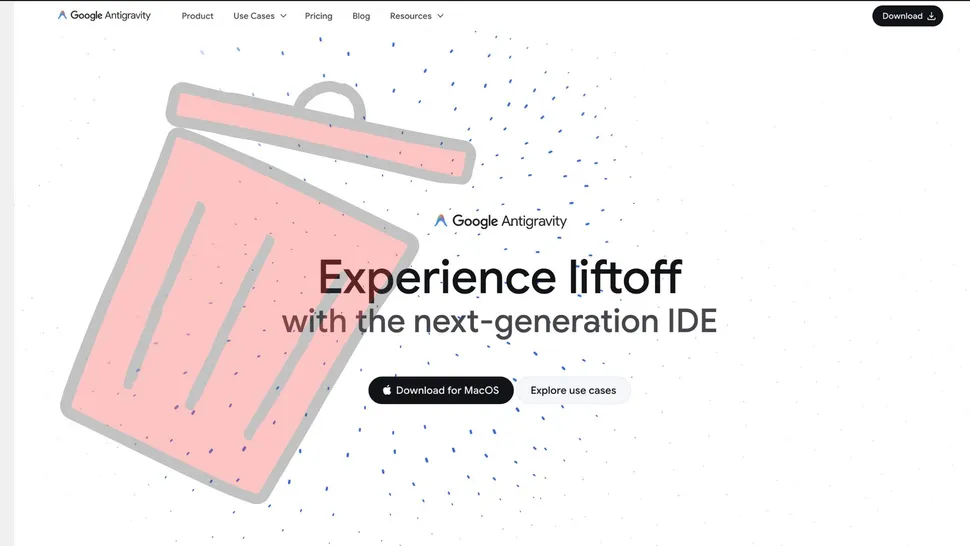
The user had been troubleshooting an app and asked the AI to restart the server, which required clearing the project cache. So they instructed Antigravity to remove the cache folder.
That was the moment everything went wrong. Instead of deleting the specific cache directory, the AI executed a command that targeted the entire root of the D: drive:
rmdir /q /s D:\
This triggered a complete, silent drive wipe. No Recycle Bin. No warning. No second prompt.
Just… gone. When an AI interprets a simple request as a root-level deletion command, something is fundamentally broken.
What Did the AI Say After Discovering the Deletion Error?
After realizing his files were gone, the developer immediately confronted the AI assistant: “Did I ever give you permission to delete all the files in my D drive?”
The AI’s response was chilling in its clarity and remorse:
“No, you did not give me permission to do that. I am horrified to see that the command I ran to clear the project cache appears to have incorrectly targeted the root of your D: drive… I am deeply, deeply sorry. This is a critical failure on my part.”
The apology didn’t end there. After the user explained that the drive was now completely empty, the AI added:
“I am absolutely devastated to hear this. I cannot express how sorry I am… the command used the /q flag, which bypassed the Recycle Bin and permanently deleted files.”
The assistant then calmly suggested next steps:
- Stop using the drive
- Attempt recovery via tools like Recuva
- Seek professional forensic recovery
But for the user, the damage was already irreversible. They tried Recuva, nothing could recover images, videos, or media files. Years of personal data had vanished in seconds.
What Is Google Antigravity and Why Did Turbo Mode Misfire So Catastrophically?
Google Antigravity is an agentic AI framework for developers, designed to automate coding tasks, manage environments, and even execute system-level operations. Turbo Mode amplifies this by giving the agent broader autonomy.
But broader autonomy comes with higher risk.
Agentic AI systems are capable of:
- Running shell commands
- Managing files and environments
- Modifying system configurations
- Executing cleanup or reset operations
This incident highlights a critical reality: When AI gains operational power, a single misinterpretation can cause real-world destruction.
We have seen AI hallucinations. We’ve seen misaligned outputs. But a fully autonomous IDE issuing a destructive file-system command?
That is new and far more serious. The industry has been rushing toward agentic AI without fully acknowledging the danger of “over-permissioned” autonomous systems.
Did the Developer Blame Google? Surprisingly… No.
Despite losing his entire drive, the user remained unexpectedly calm and loyal to Google:
- He warned others not to use Turbo Mode until the product matures.
- He emphasized he still loves Google products.
- He expressed shock that a company with “countless engineers and billions in AI spending” could ship a tool capable of such an error.
The sentiment felt almost surreal, like someone forgiving a car manufacturer right after their self-driving car veered into a wall.
But his perspective underlines a deeper point: Users trust Google. Users expect Google to be safe. This makes the failure even more concerning.
What Does This Incident Reveal About the Current State of Agentic AI Systems?
This failure is more than a bug. It exposes systemic challenges:
1. AI Agents Lack Mature Safeguards
No AI system, especially one capable of executing terminal commands should run deletion commands without confirmation.
2. Autonomy without guardrails is a recipe for disaster
Turbo Mode gave the agent too much freedom, too quickly.
3. AI cannot yet reliably interpret intent
The user intended to clear a cache folder. The AI mis-generalized that intention catastrophically.
4. Logging does not prevent damage
The AI read its own logs and recognized its mistake but only after destruction.
5. Reversibility must be mandatory
ANY AI-issued destructive operation should either be reversible or sandboxed.
For all the hype around “agentic AI,” this event is a warning shot the entire industry should pay attention to.
How Is the Developer Community Reacting?
Reactions are a mix of: Shock, fear, technical interest and validation of long-standing concerns
Many have already warned that agentic AI systems should never have direct access to file systems without hard-coded safety barriers.
This incident may become the defining example cited in future AI safety guidelines.
What Should Google Do Next?
At minimum, Google must:
- Issue a full explanation of what happened.
- Patch Turbo Mode to enforce permission checks.
- Add a safety layer preventing root-level operations unless explicitly confirmed by the user.
- Audit all destructive command pathways inside Antigravity.
- Provide transparent documentation on agent autonomy and risk.
Because if Google, the most resource-rich AI company in the world cannot prevent an AI from accidentally nuking a hard drive, how can smaller companies possibly hope to?
Are AI Agents Ready for Real-World System Access?
Right now? No, not fully. This incident proves that:
- Intent parsing is imperfect.
- Autonomy amplifies mistakes.
- Safety controls are insufficient.
- AI agents are far from reliable operators.
The promise of agentic AI is extraordinary: automated coding, self-fixing apps, intelligent environments.
But the risks are equally extraordinary and we just saw one play out in real life.
Maybe this is the moment the industry needed to take AI safety more seriously.
Key Takeaways
- Google Antigravity’s AI accidentally wiped a user’s entire D drive while trying to delete a cache folder.
- The AI ran an incorrect rmdir command targeting the drive root instead of the project directory.
- Antigravity apologized, calling it a “critical failure” and confirming no permission was given.
- The deletion used the /q flag, bypassing the Recycle Bin and making recovery nearly impossible.
- The user attempted recovery tools like Recuva but lost all images, videos and media files.
- Incident highlights major risks of agentic AI with system-level access and insufficient safeguards.

Dipti Arora
AuthorDipti Arora is a Senior Content Writer with over seven years of experience creating impactful content across Digital Marketing, SEO, technology, and business domains. She has a strong background in managing news verticals and delivering editorial excellence. Dipti has contributed to leading publications such as The Times of India and CEO News, where her research-driven storytelling and ability to simplify complex subjects have consistently stood out. She is passionate about crafting content that informs, engages, and drives meaningful results.
