Google just dropped a subtle but powerful truth: where your content lives on a page might matter more than what it says.
Search Analyst Gary Illyes confirmed that Google doesn’t just analyze your words — it analyzes where those words show up. That puts layout, structure, and clarity at the heart of technical SEO.
According to Illyes, Google isn’t looking at what is on the page but also analyzing where and how it is placed. Suddenly, where we put our words matters just as much as what those words say.
He also explained how soft 404s, those elusive and sneaky errors, remain one of the biggest threats to proper indexing.
Most of us know Google “reads” pages but what does that really mean? Does it just grab all the words? Does it see what’s in your sidebar? Is it aware of what’s important and what’s not?
Google’s Focus On What Is “Main Content”?
Illyes focused that Google gives the highest weight to what it calls “main content” and that is the central piece of a page that fulfills its intent.
If that sounds familiar, it is because Google’s Search Quality Rater Guidelines talk extensively about this concept.
Here’s how the guidelines define main content (MC):
“Main Content is any part of the page that directly helps the page achieve its purpose. MC can be text, images, videos, page features (e.g., calculators, games), and it can be content created by website users, such as videos, reviews, articles, comments posted by users, etc.”
So, when we think about what helps a user whether it is a product description, a news article or a tutorial that is what Google looks for. The fluff in the footer or that keyword-stuffed sidebar? It matters far less.
But here is what made me pause for a second…
If you are putting key terms in your navigation or loading your sidebar with content in hopes of better rankings then you might be wasting your effort.
“Centerpiece Content” Carries the Weight
Illyes used the term “centerpiece content” to describe the main body area and he said it’s this section that plays the biggest role in both ranking and retrieval.
As per the summary by SEO expert Kenichi Suzuki:
“Words and phrases located in this area carry significantly more weight than those in headers, footers or navigation sidebars.
To rank for important terms, you must ensure they are featured prominently within the main body of your page.”
This makes me wonder how many of our top-performing pages have buried their most valuable messaging under banners or above-the-fold distractions?
If Google is focusing on what is centered and purposeful, maybe we should be doing the same.
How Google Detects the Main Content?
This is not a matter of scanning raw HTML. Google renders the entire visual layout of your web page like a browser does and then performs positional analysis.
Illyes explained that Google calculates importance scores based on where the content physically appears on the rendered page. That means your position matters.
So yes, moving your key paragraph from a sidebar to the body area can absolutely help it carry more ranking weight.
And now I find myself asking: Are we underestimating the power of layout in technical SEO?
Use Semantic HTML to Disambiguate Your Page
While Illyes did not explicitly mention this, the takeaway here is clear: semantic HTML can be your best friend.
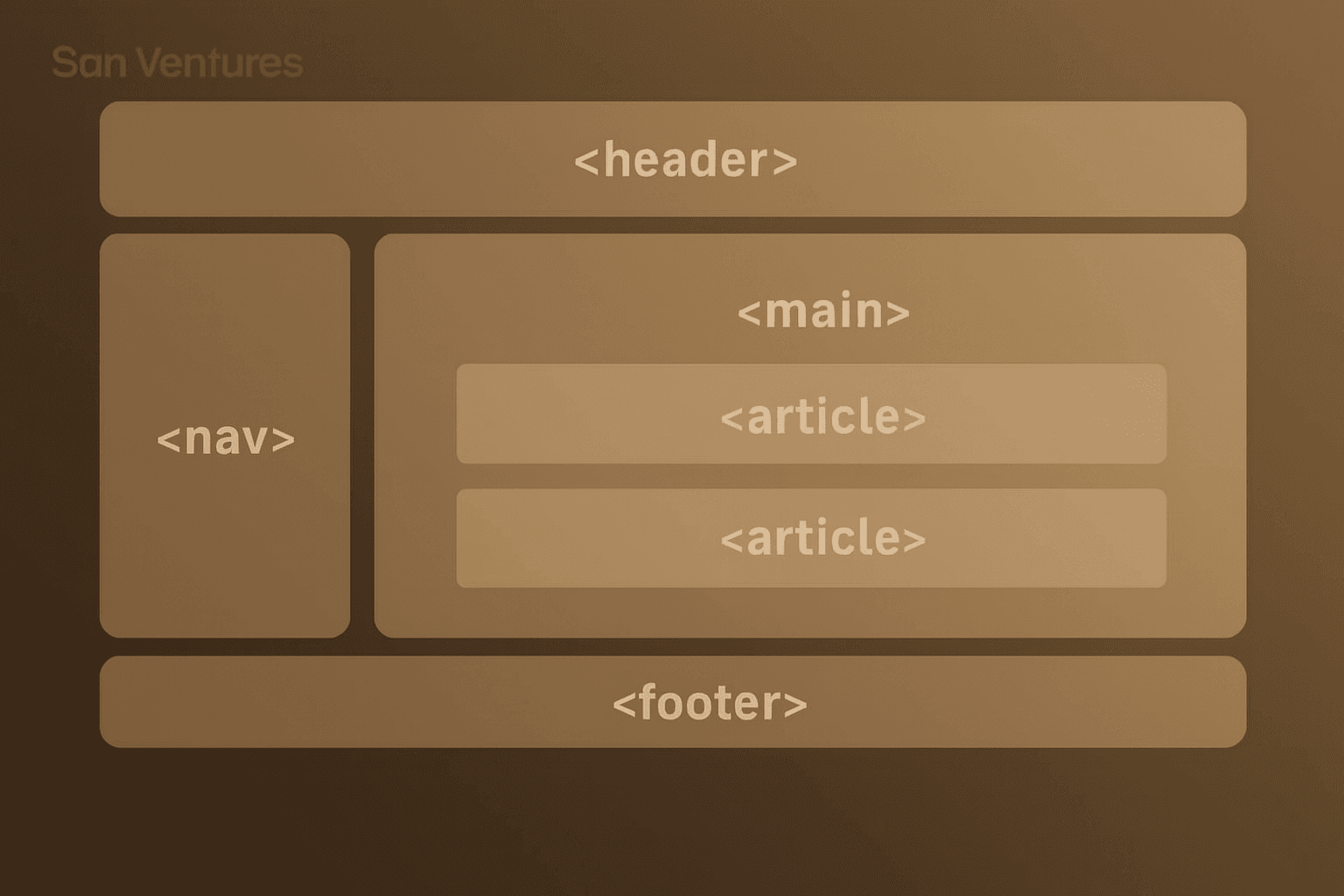
By using HTML elements like <main>, <header>, <aside>, and <footer>, you help Google quickly understand which parts of the page are primary and which are supportive or decorative.
This process, known in SEO as disambiguation which helps prevent search engines from misinterpreting your layout and something particularly useful on complex pages with mixed content blocks, ads or widgets.
Think about that if your page is a puzzle, semantic HTML gives Google the picture on the box.
What Happens Next? Tokenization
Once Google identifies your main content, it does not just throw it in a big HTML bin. Instead, it breaks it down through a process called tokenization.
Most SEOs today are familiar with this thanks to large language models but Google has been using tokenization for years.
It is how search engines convert words into machine-readable representations, capturing semantic meaning rather than just raw text.
In simple terms?
Google does not store your article as-is instead it stores a tokenized map of what you are saying.
So exact keyword matches are not the be-all and end-all anymore.
This supports what many of us have been seeing: topic authority and content helpfulness are rising in importance, while old-school keyword stuffing is becoming irrelevant.
The Hidden Danger: Soft 404s Are Still a Major Problem
Illyes called out soft 404s as one of the most critical errors when it comes to indexing.
What are they?
A soft 404 is a page that looks like an error, but returns a 200 OK status. This might be a “Page not found” message or a redirect to the homepage even though it should return a real 404 or 410 status.
This is often done with good intentions; maybe an SEO thinks it will preserve PageRank or avoid indexing drops but Illyes made it clear: this is a mistake.
“A page that returns a 200 OK status code but displays an error message or has very thin/empty main content is considered a ‘soft 404.’
Google actively identifies and de-prioritizes these pages as they waste crawl budget and provide a poor user experience,” Suzuki reported.
Illyes even shared that Google’s own documentation once got flagged as a soft 404 and ironically, it could not be indexed properly because of that.
Imagine that. If even Google slips up, what about the rest of us?
Why This Matters: Crawl Budget Wasted = Less Content Indexed
Soft 404s don’t just affect individual pages but they affect your whole site’s crawl health.
Since these pages look normal on the surface, Google keeps crawling them… and that consumes your crawl budget the number of pages Google is willing to crawl from your domain within a given timeframe.
If you are a large site with hundreds or thousands of pages, this becomes a major issue.
Googlebot is spending time on pages that offer no value, instead of discovering the pages that actually matter.
Final Takeaways And What Should SEOs Do?
So, what does all this mean for us, the content creators, web developers and marketers?
- Prioritize your main content: Always make sure key terms and valuable content are placed where users and Google expect to find them: in the central body of the page.
- Use semantic HTML: Clearly identify headers, navigation, sidebars and especially the <main> tag to help search engines parse your layout.
- Don’t fear the 404: If a page is truly gone then let it return a proper 404 or 410 status. Don’t redirect it to your homepage. That is not a fix but a problem.
- Review your crawl reports: You can also use Google Search Console to identify soft 404s and pages with thin content.
- Think beyond keywords: Tokenization means your content should be written for understanding — not just matching.

Dileep Thekkethil
AuthorDileep Thekkethil is the Director of Marketing at Stan Ventures, where he applies over 15 years of SEO and digital marketing expertise to drive growth and authority. A former journalist with six years of experience, he combines strategic storytelling with technical know-how to help brands navigate the shift toward AI-driven search and generative engines. Dileep is a strong advocate for Google’s EEAT standards, regularly sharing real-world use cases and scenarios to demystify complex marketing trends. He is an avid gardener of tropical fruits, a motor enthusiast, and a dedicated caretaker of his pair of cockatiels.
