Microsoft’s new Copilot update makes AI feel more human — it remembers, connects your digital life, and even lets you work with friends in shared AI chats. The rollout begins in the U.S., with global expansion coming soon.
Microsoft has rolled out its Copilot Fall Release, introducing a suite of upgrades that push its AI assistant closer to feeling like a true digital partner.
The update, now live in the U.S. and expanding soon to more regions, adds long-term memory, multi-account search, collaboration tools, and new health and education features.
In announcing the release, Mustafa Suleyman, Microsoft’s Head of AI, summed up the philosophy behind it:
“Technology should work in service of people. Not the other way around. Ever.”
A Smarter Way to Search
One of the first things you’ll notice is how Copilot now handles search.
Instead of separating AI responses from normal web results, Microsoft has blended them into a single view. You can see traditional links, AI-generated summaries, and verified citations all in one place.
It’s faster and frankly, more natural.
You ask a question, and Copilot doesn’t just throw text at you; it shows where the information comes from.
Behind this improvement are Microsoft’s newer in-house AI models MAI-Voice-1, MAI-1-Preview, and MAI-Vision-. They are built to handle voice, text, and visuals together. The idea is to make Copilot capable of understanding information the way people do: context first, format second.
So if you say, “Find my presentation about sustainability and summarize it,” Copilot can now look through your OneDrive, Gmail, Google Drive, or Outlook all in one go.
Memory That Actually Remembers
This might be the biggest shift yet. Copilot now has long-term memory.
You can tell it that you’re training for a marathon or planning a big anniversary, and it’ll remember. The next time you chat, you can pick up right where you left off.
This small change could make a huge difference. Rather than repeating your preferences, projects, or reminders every time, Copilot learns the details that make your life unique.
And Microsoft is being careful about privacy. You can view, edit, or delete any piece of stored memory whenever you want. Nothing is locked away from you.
The point isn’t for AI to collect more; it’s to remember better, with your permission.
Working Together: The Groups Feature
Until now, AI assistants have been deeply personal; you use them alone. But Microsoft’s new Groups feature flips that script.

With Groups, up to 32 people can join the same Copilot session. Everyone in the chat can see the same responses and contribute in real time. Think of it as brainstorming with AI sitting at the table.
It could change how teams collaborate, especially for classrooms, remote teams, or even families planning a trip.
You can start a session just by sharing a link, and anyone with that link can join instantly. No sign-up hurdles. No setup headaches.
A More Active Role in Edge and Windows
Copilot isn’t staying in a chat bubble anymore. It’s becoming part of your browsing experience.
In Microsoft Edge, a new Copilot Mode transforms the browser into what Microsoft calls an AI browser.
With permission, Copilot can look at your open tabs, summarize information, or even take small actions like booking hotels or filling out forms.
It also introduces voice-only navigation, letting you browse hands-free—useful for accessibility and multitasking alike.
Other features like Journeys (which revisits past browsing sessions) and Actions (which automates steps like sending follow-ups) are also part of this update. Both are rolling out in the U.S. first.
Copilot Steps Into Health and Learning
Microsoft isn’t limiting Copilot to productivity anymore. It’s stepping into health and education too.

A new health mode lets users ask medical questions with answers based on trusted sources like Harvard Health.
The feature is currently available at copilot.microsoft.com and through the Copilot iOS app, though only in the U.S.
For students and lifelong learners, there’s Learn Live, a voice-powered Socratic tutor. It uses interactive whiteboards and spoken dialogue to help users explore ideas or prepare for exams.
It feels less like typing into a chatbot and more like learning with a teacher who asks the right questions back.
Meet Mico, Copilot’s New Face
AI might be smart, but it still struggles to feel alive. That’s where Mico comes in, a small animated character that reacts during voice conversations. It adds a touch of personality, a visual nod that someone (or something) is listening.
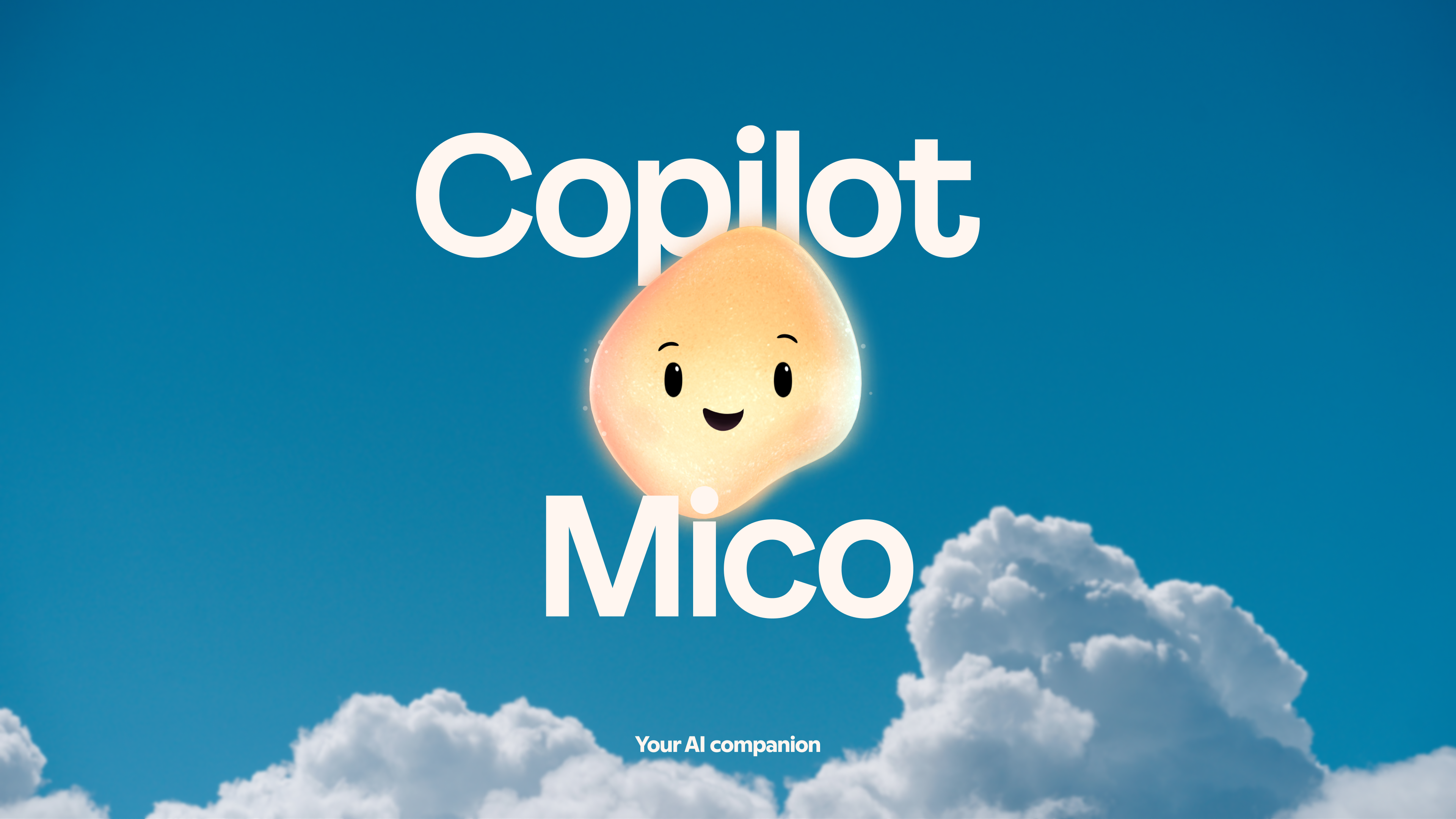
Alongside Mico, Microsoft is testing a new “real talk” mode, designed to make responses more authentic, even challenging your assumptions or asking follow-up questions that deepen the conversation.
It’s a subtle move, but it gives Copilot a sense of presence that text alone can’t match.
Why This Update Feels Different
With this release, Microsoft is redefining what Copilot is.
AI is becoming less of a productivity tool and more of a partner that remembers context, connects apps, and works with you and your team.
That’s the big story here. Memory means continuity. Connectors mean fewer digital walls. Groups mean collaboration. Together, they point to a future where AI doesn’t just assist, it participates.
And for Microsoft, that’s exactly the point.
Practical Tips to Try
Here are a few simple ways to make the most of the new Copilot features.
- Use memory purposefully. Teach Copilot the small details that matter to you — from preferences to goals.
- Link your accounts. Connect Gmail, Outlook, and cloud drives for unified search.
- Experiment with Groups. Try a shared AI chat for team planning or creative projects.
- Enable voice in Edge. Navigate, summarize, and fill forms without touching the keyboard.
- Check out Learn Live. Perfect for quick study sessions or brushing up on a new topic.
Key Takeaways
- Microsoft’s Copilot Fall Release adds memory, connectors, and shared AI sessions.
- You can now search across Gmail, Google Drive, OneDrive, and Outlook in one go.
- Groups lets up to 32 people collaborate in real-time with AI.
- New features in Edge include voice navigation and smarter actions.
- Health and tutoring tools make Copilot more useful beyond work.

Zulekha
AuthorZulekha is an emerging leader in the content marketing industry from India. She began her career in 2019 as a freelancer and, with over five years of experience, has made a significant impact in content writing. Recognized for her innovative approaches, deep knowledge of SEO, and exceptional storytelling skills, she continues to set new standards in the field. Her keen interest in news and current events, which started during an internship with The New Indian Express, further enriches her content. As an author and continuous learner, she has transformed numerous websites and digital marketing companies with customized content writing and marketing strategies.
