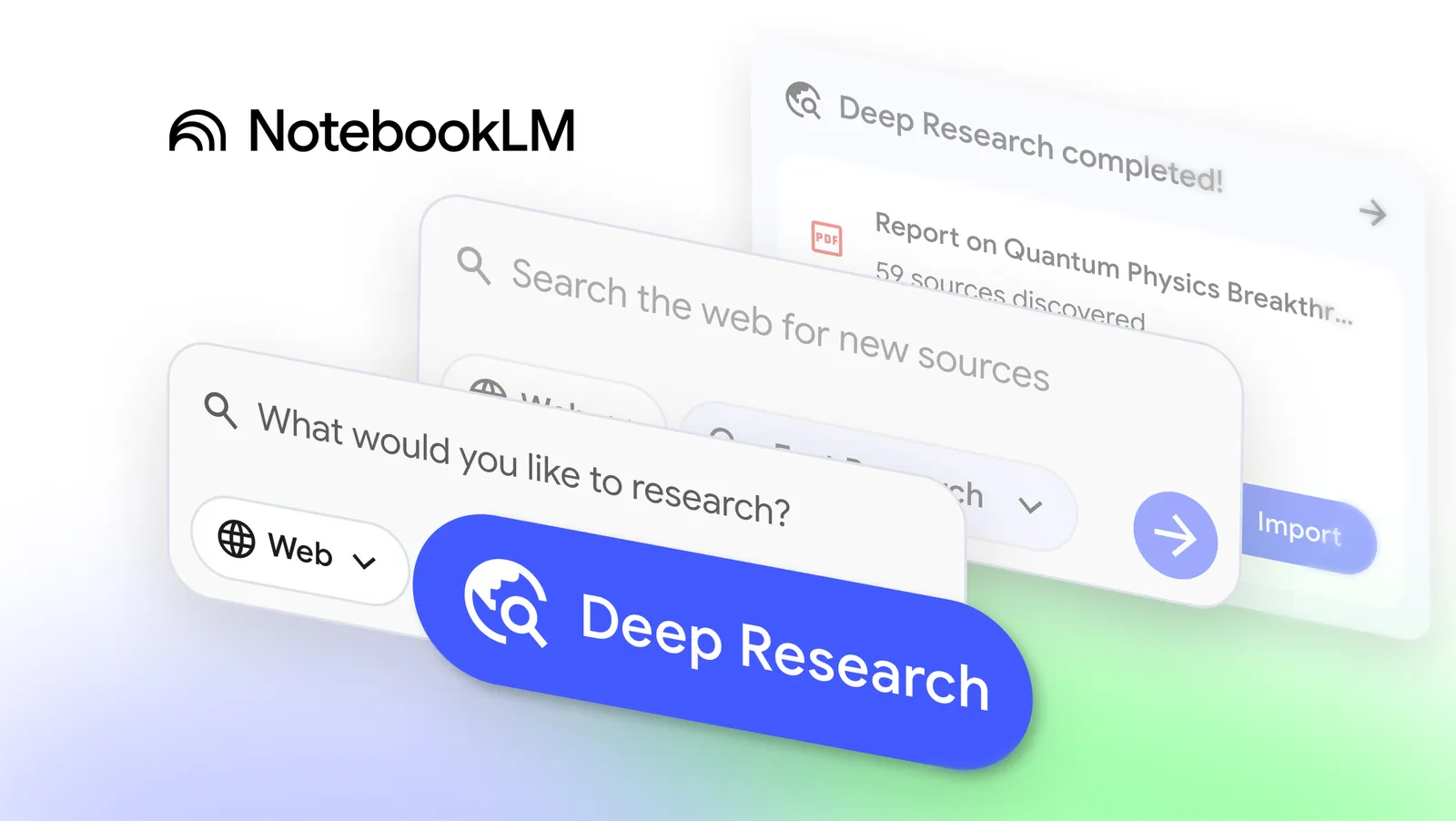
NotebookLM has officially introduced Deep Research, a new capability that browses hundreds of websites.
It compiles an organized, source-grounded report, and lets users add every cited source directly into their notebook.
The update began rolling out this week, marking one of NotebookLM’s biggest leaps from a simple note-organizing tool to a full research intelligence system.
It promised to take research productivity to a whole new level by browsing hundreds of sites, building organized, source-backed reports, and even letting users add citations directly into their notebook.
But how exactly does it work? And why does this update matter for students, researchers, journalists, and professionals who rely on data-backed insights every day? Let’s break it down.
What Exactly Does Deep Research Do, and Why Is It Such a Big Deal?
Deep Research acts like an AI researcher that works the way a real analyst does.
The tool takes your question, builds its own research plan, browses extensively across the web, evaluates multiple angles, refines its search queries, and returns an extremely organized report with clearly annotated sources.
Unlike traditional AI chatbots that summarize a handful of links or rely heavily on training data, Deep Research functions like a fully self-directed explorer.
It pulls from hundreds of live web pages, academic papers, articles, niche websites, and trusted archives, a scale that most AI assistants simply do not match yet.
What stood out immediately in this announcement is the emphasis on source transparency.
Every claim generated by Deep Research is tied to real citations, complete with links, context, and an annotated list you can instantly add to your NotebookLM workspace.
For anyone who has ever spent hours checking citations, verifying facts, or cross-referencing data, this single change already feels transformational.
The moment you’ve ACTUALLY been waiting for… Introducing Deep Research!
Rolling out now, Deep Research browses hundreds of sites to craft an organized report AND gives you an annotated list of sources for deeper exploration, all of which you can add directly to your notebook. pic.twitter.com/RK5RCXcOlk
— NotebookLM (@NotebookLM) November 13, 2025
How the Deep Research Workflow Actually Works
The moment you select Web as a source inside NotebookLM, the Deep Research engine becomes available. From here, your query becomes the anchor point for a multi-step research sequence.
NotebookLM doesn’t just fetch results; it develops a plan, executes it, and evolves its findings as it goes. It learns which sources are relevant and which ones aren’t, narrowing the field until it can assemble a well-structured, source-justified narrative.
There is something very “human-researcher-like” about this. You can feel the intentionality, it is not copy-paste summarization, but a synthesis built from multiple passes across the web.
The outcome is a report that reads like something a seasoned researcher would produce: structured sections, clear explanations, interpretation where needed, and a foundation entirely made up of citations.
And the experience doesn’t end there. Everything can be imported into your notebook instantly, which turns NotebookLM from a reading tool into a full-scale research hub.
NotebookLM Is Quietly Positioning Itself as a Research Powerhouse
This update is not just a feature drop; it signals a bigger direction. NotebookLM is evolving from an AI notebook into a research ecosystem.
The team behind the update, including Quality Lead Anuja Agrawal and Senior UX Designer Shan Wang, focused on how essential strong sources are in real research.
Their messaging is clear: NotebookLM wants to make credible research both faster and more user-friendly without compromising reliability.
What feels most interesting is how seamlessly Deep Research integrates into the notebook workflow.
While the AI is building your report in the background, you can continue adding your own sources such as PDFs, notes, articles, spreadsheets and NotebookLM will weave everything into a single knowledge base.
This “parallel workflow” experience is not common in AI tools, and it reduces the friction researchers often experience when juggling multiple formats and tabs.
A Big Upgrade in File Compatibility, More Formats, Less Friction
NotebookLM didn’t stop at Deep Research. The update also expands support for a wider range of file types, making the system significantly more flexible for real-world research workflows.
Users can now upload Google Sheets, allowing the model to analyze structured data, calculate summaries, extract insights, and even interpret numerical trends. This finally makes spreadsheets part of an AI-native research workflow instead of being siloed.
Google Drive file URLs can now be added directly without downloading. It’s a deceptively simple change that eliminates countless repetitive steps for anyone managing large folders of reports, PDFs, or scripts.
Images are also supported including photos of handwritten notes, classroom boards, event brochures, or physical research material. NotebookLM converts them into searchable, analyzable text.
Support for PDFs directly from Drive means long-form academic papers, policy documents, and ebooks can be imported instantly. And .docx Word files can now be analyzed as easily as a webpage.
Every one of these additions points toward a single goal: unifying fragmented research inputs into one intelligent space.
How Deep Research Changes the Way We Learn and Work
The impact of this update goes beyond simple convenience. For the first time, a research assistant can:
- search extensively,
- evaluate findings,
- cross-reference sources,
- annotate every claim, and integrate all of it into a notebook you’re actively building.
This is not just information retrieval, it is knowledge assembly.
Students can now study topics with deeper clarity. Journalists can compile background research faster. Analysts can verify claims before presenting them. Writers can pull cohesive insights from multiple source types.
And creators can turn lengthy reports into conversational audio or video summaries.
NotebookLM isn’t trying to replace human analysis; it is elevating the raw material so humans can focus on interpretation, creativity, and decision-making.
Why This Update Matters in the Bigger Picture of AI Research Tools
Many AI tools can summarize. Many can answer questions. Some can browse. But very few combine high-volume browsing, source transparency, structured synthesis, and notebook integration.
Deep Research is the closest we have come to bridging research and AI in a way that respects the nuances of credible inquiry.
It marks a shift toward AI tools that don’t just generate text but learn how to research responsibly.
In an era where misinformation, hallucination, and unverified AI claims create genuine concern, NotebookLM’s approach of grounding every answer in traceable sources feels not just useful but necessary.
TL;DR – Key Takeaways
- NotebookLM has launched Deep Research, a feature that scans hundreds of sites to produce source-backed research reports.
- All findings come with clear citations and can be imported directly into your notebook.
- The update adds support for Google Sheets, Word docs, PDFs from Drive, Drive URLs, and images.
- Deep Research is designed to be a more trustworthy and transparent research assistant.
- The rollout continues over the next week, with image support arriving shortly after.

Dipti Arora
AuthorDipti Arora is a Senior Content Writer with over seven years of experience creating impactful content across Digital Marketing, SEO, technology, and business domains. She has a strong background in managing news verticals and delivering editorial excellence. Dipti has contributed to leading publications such as The Times of India and CEO News, where her research-driven storytelling and ability to simplify complex subjects have consistently stood out. She is passionate about crafting content that informs, engages, and drives meaningful results.
